
Language
NEWS
Introduction of Pre-Registration for USDT and Peska Withdrawal Destinations

Thank you for choosing Blue Dragon.

To enhance withdrawal security and prevent incorrect transfers, a pre-registration system for USDT and Peska withdrawal destinations will be introduced.

Transition Schedule
Pre-registration begins on September 28, 2026
Date Information
2026-09-28 Pre-registration of USDT and Peska withdrawal destinations will be available.
2026-09-30 The current withdrawal request method will remain available through this date.
2026-10-01 The new withdrawal method will begin. You must select a pre-registered withdrawal destination when submitting a withdrawal request. Manual entry of withdrawal destination information will no longer be available.
Important Notice for USDT Withdrawals

After a USDT withdrawal wallet is registered and email verification is completed, a 24-hour security lock will apply.

Withdrawals to the newly registered wallet cannot be made during the 24-hour lock period. The wallet will automatically become available for withdrawals after the lock period ends.

Register in Advance

If you plan to withdraw USDT, we recommend registering your withdrawal wallet before the new system starts on October 1, 2026.

How to Register a USDT Withdrawal Wallet

Follow the steps below to register your USDT withdrawal wallet.

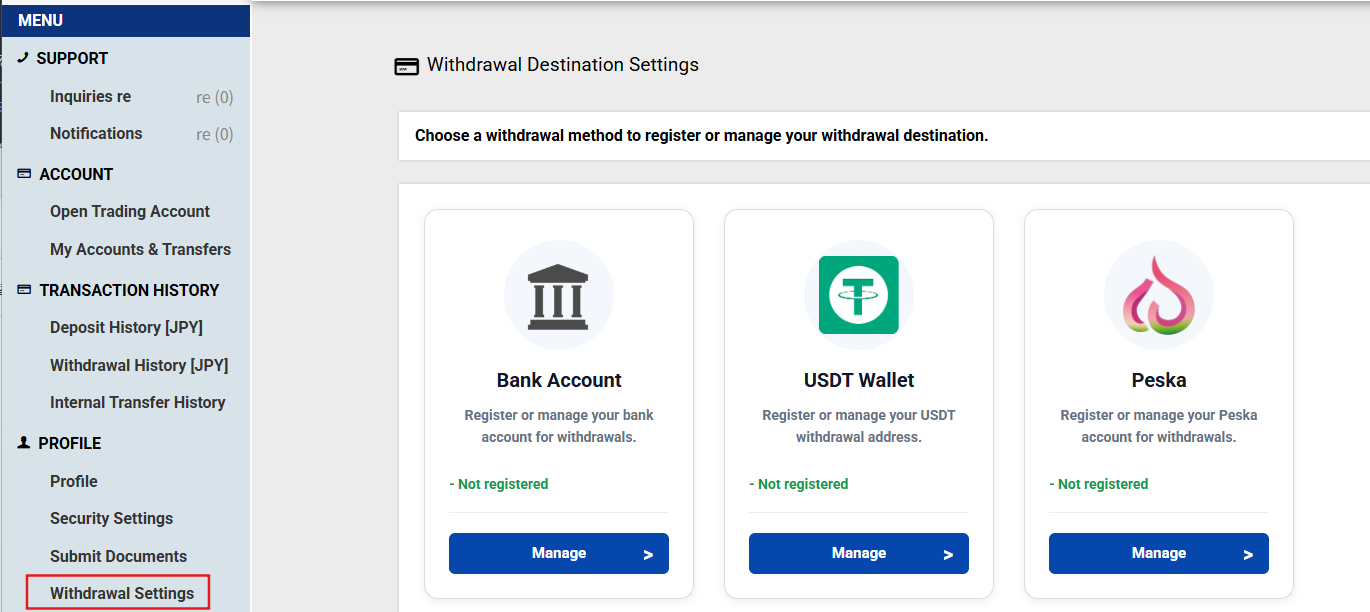
Step 1 — Open Withdrawal Settings

Log in to your Client Portal and open Withdrawal Settings. Select USDT Wallet and click Manage.

Withdrawal Settings screen showing USDT Wallet registration
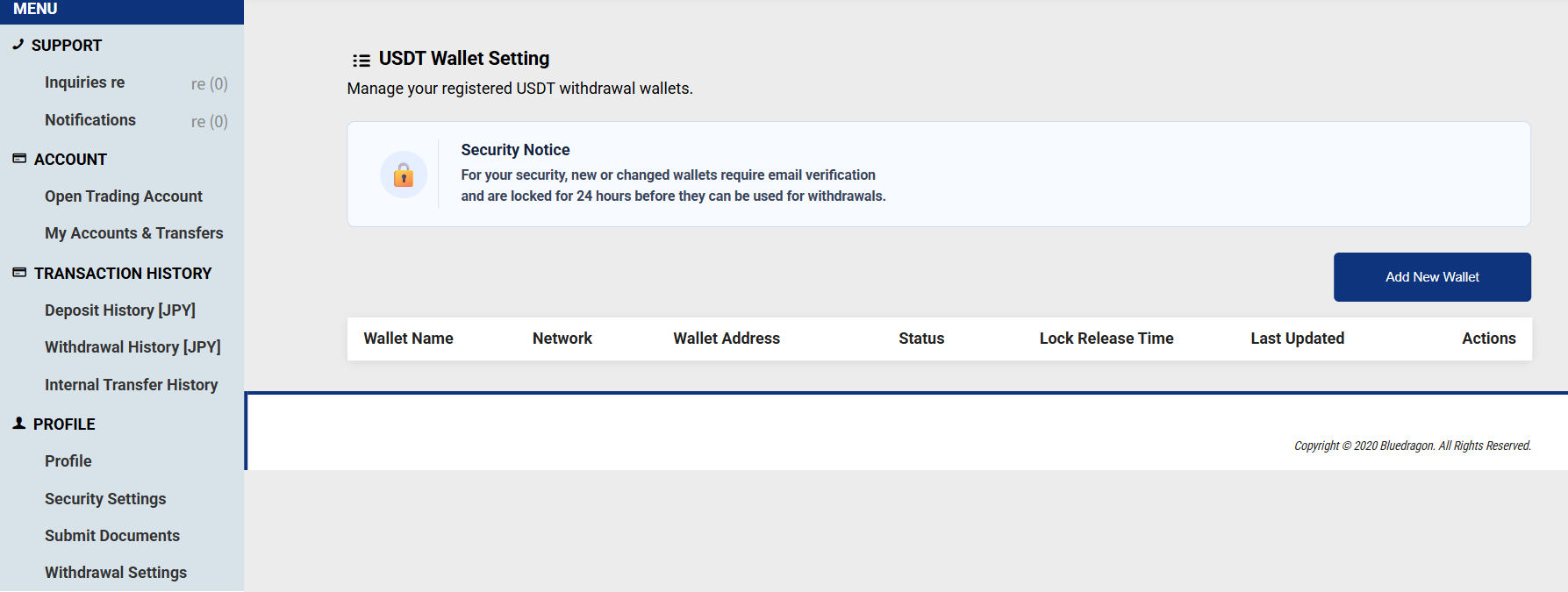
Step 2 — Add a New Wallet

On the USDT wallet settings page, click Add New Wallet.

USDT Wallet Settings screen with Add New Wallet button
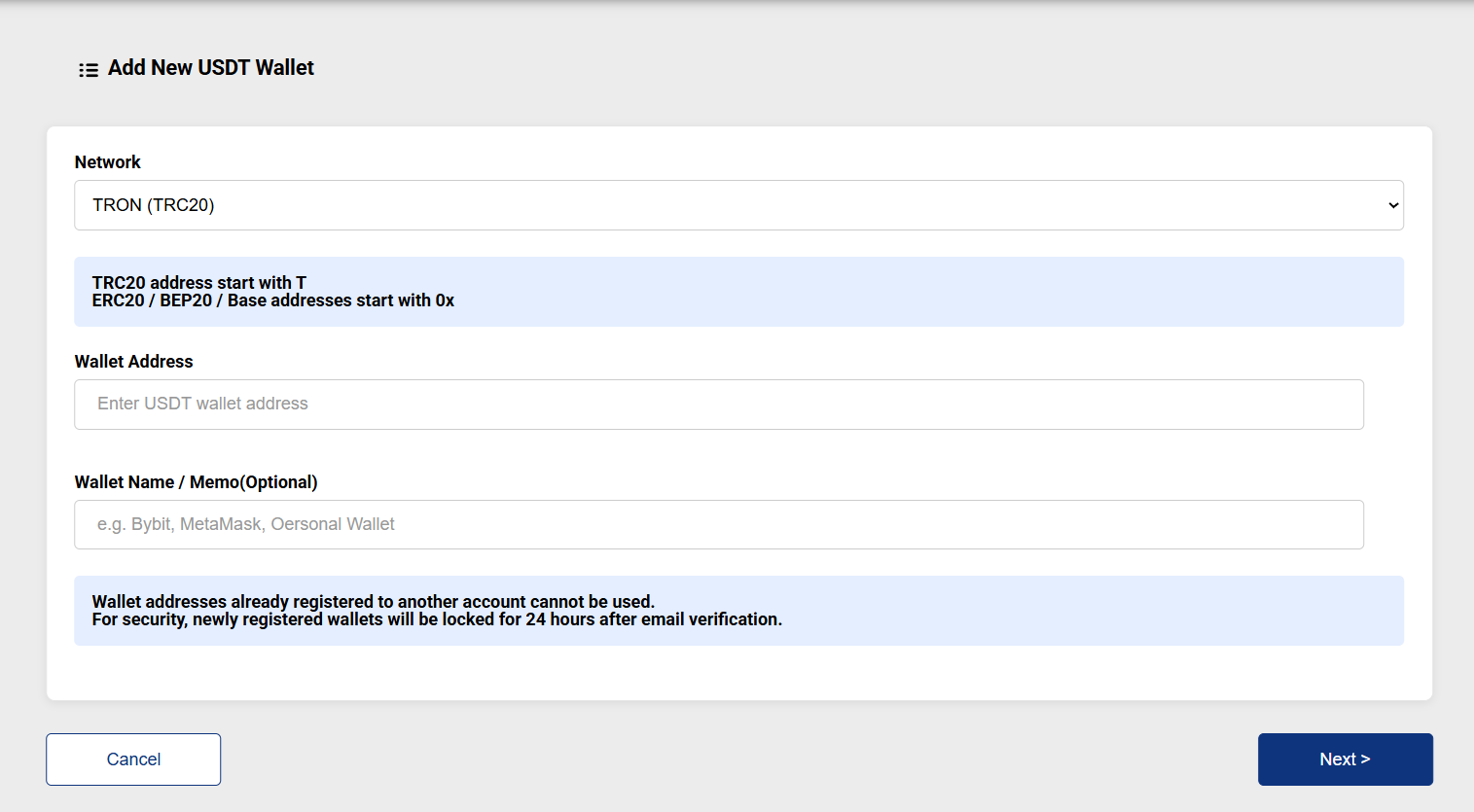
Step 3 — Enter Wallet Information

Select the network and enter your USDT wallet address. You may also enter a wallet name or memo if needed. Then click Next.

Add New USDT Wallet screen for network and wallet address entry
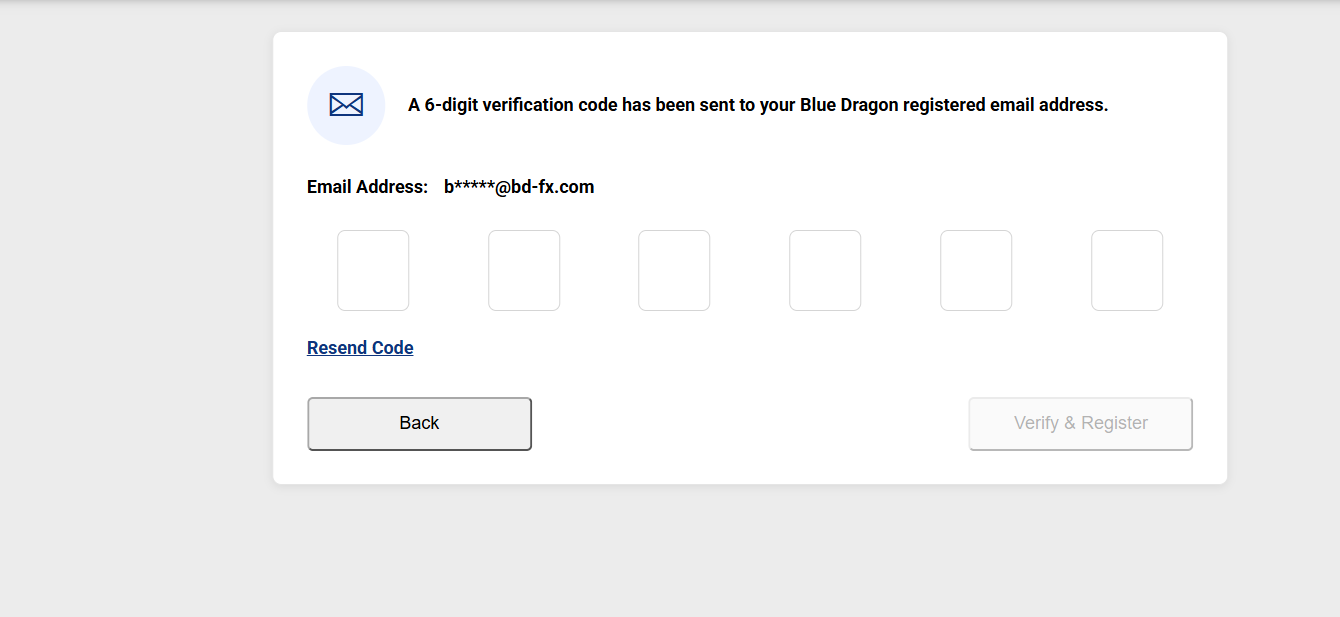
Step 4 — Email Verification

A 6-digit verification code will be sent to the email address registered with Blue Dragon. Enter the code and click Verify & Register.

Email verification screen for USDT wallet registration
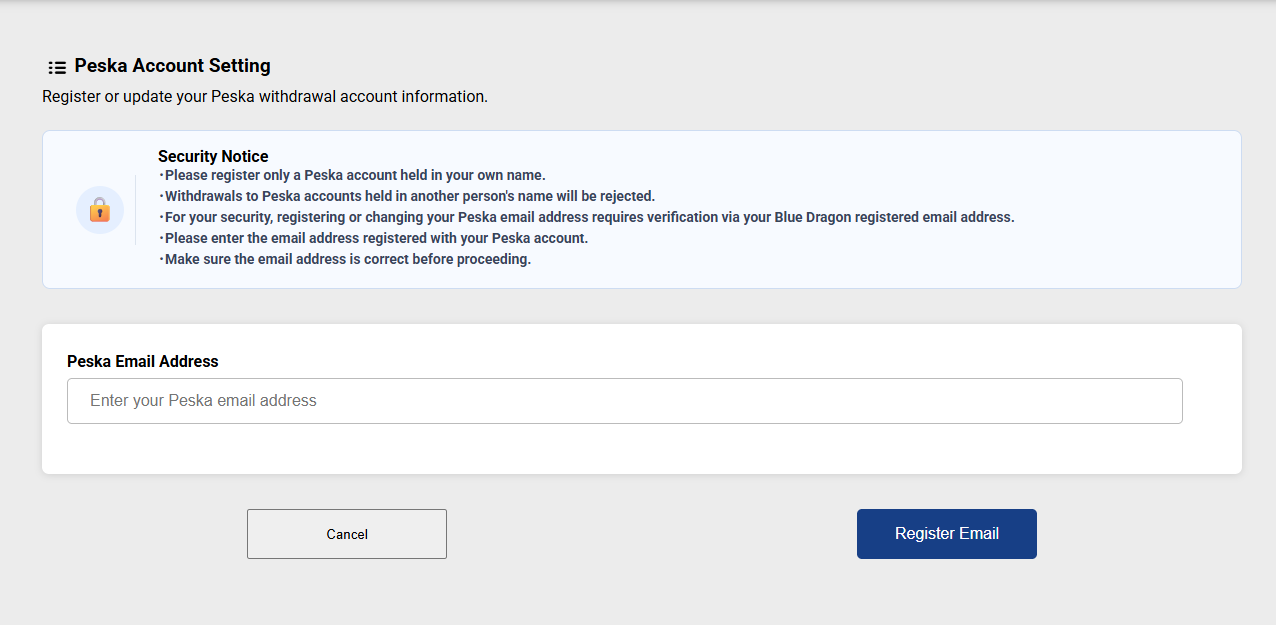
How to Register a Peska Withdrawal Account
Step 1

In Blue Dragon My Page, select Withdrawal Settings → Peska → Manage.

Step 2

Enter the email address registered with your Peska account, then select Register Email.

Step 3

Blue Dragon will send a 6-digit verification code to your registered email address. Enter the code to complete the registration.

Only Peska accounts in your own name can be registered. Withdrawals to Peska accounts in another person’s name will be rejected.
Peska Account Setting screen for entering a Peska email address
After Registration

After email verification is completed, the newly registered USDT wallet will be locked for 24 hours. It can be used for withdrawals after the lock period ends.

We will continue to improve security and provide a safe environment for all clients.

Thank you for your understanding and cooperation.

Blue Dragon Support Team

CONTACT

Support desk
Business Hours: 24 hours /
5 days a week
GMT 00: 00-24: 00 Monday-Friday

Risk warning

Foreign exchange trading does not guarantee a customer's initial capital or the amount invested in a financial instrument. It may not be suitable for all clients as it involves a high level of risk due to the effects of currency fluctuations and leveraged trading, and the possibility of losing the entire principal amount invested as a result of the transaction. Therefore, please keep your investment within the limits of your loss tolerance. We urge you to fully understand this risk warning before you begin trading and to seek advice from a neutral financial advisor if you have any doubts.

Blue Dragon LLC is an international financial services provider duly registered in Saint Vincent and the Grenadines as an International Business Corporation (IBC) (Registration No. 1438 LLC 2021).

Registered Office:Blue Dragon LLC Suite 305, Griffith Corporate Centre,Beachmont, Kingstown,Saint Vincent and the Grenadines

The information on this website is not intended for clients residing in countries where trading in Forex or CFD products is restricted or prohibited by law or regulation.